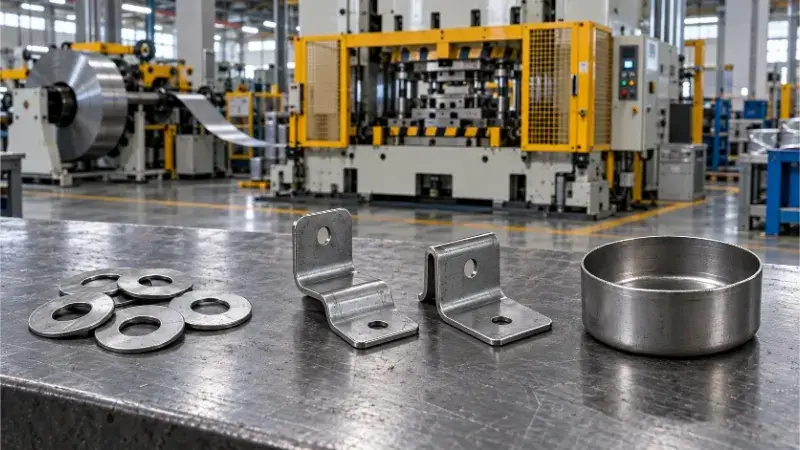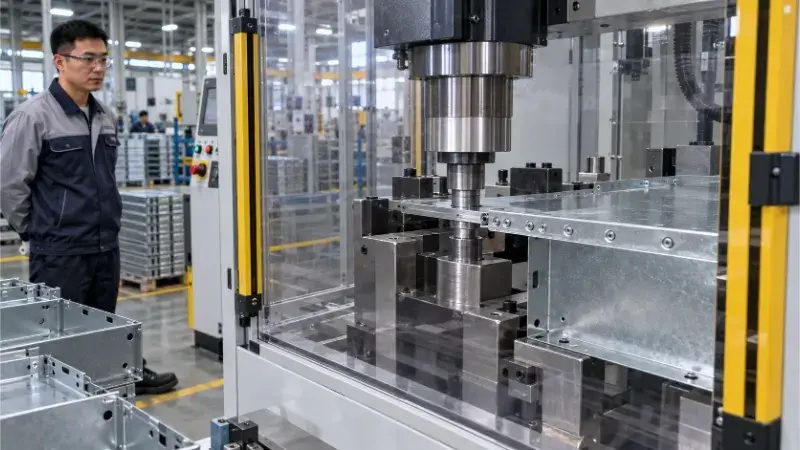
Sheet metal drawings are not just design files. They are the working instructions for quoting, cutting, bending, welding, finishing, assembly, and inspection.
Sheet metal drawings are not just design files—they are legally binding manufacturing contracts. Many quoting bottlenecks and production failures don’t happen because a part is too complex to make. They happen because the drawing is ambiguous. Missing material specifications, unrealistic tolerances, or conflicting file versions inevitably lead to endless email chains, inflated costs, rework, and extended lead times.
A good sheet metal drawing should make the job easier to quote, easier to check, and easier to produce. This article gives you a practical checklist of what fabricators need to see on a drawing so they can quote faster and build your part right the first time.

What a Sheet Metal Drawing Must Show Clearly?
Every detail embedded in your drawing dictates material procurement, manufacturing routing, and the final cost. Leaving these to guesswork is the fastest way to ruin a project budget.
Part Number and Revision Tracking
Never rely on casual file names. A professional drawing must clearly display the part number, revision level (e.g., Rev A, Rev B), and date. If a part has been updated, note the primary changes in the revision block. This eliminates the catastrophic risk of the shop floor accidentally manufacturing an outdated version simply because the wrong PDF was attached to an email.
Exact Material Grade and Thickness
“Aluminum” or “Steel” is not a material; it is a category. Different grades behave entirely differently under a press brake.
For example, trying to bend 6061-T6 aluminum without a large enough bend radius will cause it to crack on the machine, destroying the part. Specifying 5052-H32 ensures smooth, reliable bending. This information directly dictates the cutting method, tooling selection, and your final price.
❌ Bad:Material: Aluminum, 1.5mm
✅ Good:Material: 5052-H32 Aluminum, 1.5mm (0.060″) thickness
Units, Projection, and Scale
Never leave the manufacturer guessing your dimensions. Clearly state whether the drawing uses millimeters or inches. For international projects, the projection angle (First-Angle vs. Third-Angle) must be defined in the title block. A wrong projection assumption means your parts will be bent completely backward.
Default Tolerances and General Notes
Slapping a blanket ±0.05mm (0.002″) tolerance on every dimension won’t get you a better part—it will just double your quote. It forces the factory to abandon standard punching and bending and switch to slow, expensive custom tooling or CNC machining.
Define realistic default tolerances in your title block for non-critical dimensions (e.g., `X.X ±0.2mm`). Use the general notes to define standard expectations: deburring requirements, sharp edge breaking, and designated cosmetic surfaces. This establishes a clear baseline for the Quality Control (QC) team and prevents expensive over-engineering.
Which Files Fabricators Need Before Quoting?
You can have a perfect design, but if you submit the wrong file formats, your quote will stall. Here is exactly what a modern sheet metal fabricator needs to process an RFQ efficiently.
PDF Drawing for Official Requirements
The 2D PDF is the single source of truth. It is the legally binding document that contains critical tolerances, surface finishes, welding symbols, and press-fit hardware (PEM) instructions. During final QC, the PDF drawing is the ultimate judge used to accept or reject the part.
STEP Model for Structure Review
While the PDF provides the rules, the STEP file provides the 3D context. Manufacturing engineers use STEP files to quickly verify bend directions, check for tool clearance on the press brake, and spot potential interferences. It prevents the common misinterpretations that happen when relying solely on 2D views.
DXF or DWG Flat Pattern for Cutting
Laser cutters and turret punches run on 2D vectors. Providing a ready-to-use DXF flat pattern accelerates the CAM programming phase.
🛠️ Pro Tip for Faster Quotes: Send a “Clean” DXF. Remove all title blocks, centerlines, bend lines, and dimension text from your DXF flat pattern file. A clean, closed-contour file goes straight into the laser nesting software, cutting your quoting time in half.
2D and 3D File Priority
When you submit multiple files, they must be exported from the exact same design revision. As an industry standard, the 2D PDF controls the dimensions and QC requirements, while the 3D model is utilized for CAM programming.
At Shengen, if your 3D model shows a 5.0mm hole but the 2D PDF calls out a 6.0mm hole, we hit pause immediately. We would rather delay a job by one day to confirm the design intent with you than ship a box of expensive scrap metal.
Clean Models for Manufacturing
The 3D model you submit to the factory should be optimized for manufacturing, not for marketing renders. Remove physically modeled threads (use standard hole sizes instead), embossed text, and irrelevant mating assemblies. A clean STEP model prevents CAM software crashes and drastically reduces manufacturing prep time.

Sheet Metal Features That Need Clear Callouts
Certain features on a sheet metal part carry a disproportionately high risk of failure if they aren’t explicitly detailed. When these features are left to the manufacturer’s imagination, you risk receiving parts that look right on the table but fail completely during assembly.
Bend Direction Callouts to Prevent Backward Assembly
A simple line on a 2D drawing is not enough to indicate a bend. If the bend direction is ambiguous, brackets, panels, and enclosures will inevitably be folded backward. This is an unfixable error that instantly turns your batch into scrap.
Your drawing must explicitly label bend lines with “UP” or “DOWN” relative to the flat pattern view. For complex asymmetrical parts, providing a localized isometric view or cross-section next to the bend detail is the ultimate safeguard.
Inside Radius (IR) Restrictions and Tooling Surcharges
Specifying an excessively small inside radius (IR) on thick material will cause the metal to fracture along the bend line. Conversely, picking a random, non-standard IR means the factory has to buy custom punch-and-die sets, passing that tooling surcharge directly to you.
Always specify the Inside Radius (never the outside radius) and align it with standard tooling sizes and material thickness.
🛠️ Pro Tip: As a general rule for cost-effective bending, set your Inside Radius (IR) equal to the material thickness (1T).
The Mathematical Limit for Hole-to-Bend Distances
When a hole is placed too close to a bend line, the stretching of the metal during the brake press operation will pull the hole out of round. Deformed holes mean your screws won’t fit, requiring expensive manual reaming or total part rejection.
Do not rely on the 3D CAD model to warn you. You must verify and clearly dimension these critical gaps.
❌ High Risk: Placing a cutout directly next to the tangent of a bend.
✅ Safe Standard: The distance from the edge of the hole to the start of the bend must be at least `2.5 * Material Thickness + Inside Radius`.
Forming Direction for Louvers, Embosses, and Flanges
Louvers, strengthening ribs, embosses, and countersinks require specialized forming tools. Just like bend directions, the drawing must explicitly state whether these features protrude UP or DOWN from the primary surface.
If the forming direction isn’t locked down on the 2D drawing, the manufacturer might punch the louver inward instead of outward, ruining the part’s airflow or clearance capabilities.
PEM Hardware Orientation and Scrap Prevention
Press-fit hardware (PEM nuts, standoffs, studs) installed on the wrong side of the sheet metal is the number one cause of assembly-stage scrap. A drawing note that just says “Install nut” is a recipe for disaster.
You must specify the exact hardware part number, the installation face, and the insertion direction.
At Shengen, we require drawings with PEM hardware to include a cross-section or zoomed-in detail view showing exactly which side the hardware sits flush against. If it’s ambiguous, we won’t punch the part until we’ve clarified it with your engineering team.
Tolerances and Dimensions That Change Cost
Tolerances are the direct language of cost. The tighter the tolerance, the more expensive the part. A drawing is not “better” just because every dimension is restricted to a fraction of a millimeter. Smart drawings deploy tight tolerances only where they protect function, and leave the rest loose to protect the budget.
Prioritizing Functional Dimensions Over Blanket Tolerances
Functional dimensions dictate whether the part actually works—things like mounting hole spacing, alignment pins, and critical mating surfaces. These are the dimensions that dictate a successful assembly.
Focus your tightest tolerances strictly on these areas. Highlighting these functional dimensions tells the manufacturer exactly where to focus their most experienced operators and precise setups.
Clear Measurement Datums to Eliminate Shop Floor Guesswork
A dimension is useless if the factory doesn’t know where to measure it from. Critical dimensions should originate from functional datums—usually a main mating edge, a critical hole, or a primary bend base.
Do not make the factory guess where to place their calipers. The clearer your datums, the fewer inspection disputes you will have during quality control.
❌ Bad: Chaining multiple dimensions together, causing tolerances to stack and multiply across the part.
✅ Good: Using baseline dimensioning from a single, critical datum edge to prevent tolerance accumulation.
The Financial Danger of Tight Non-Critical Dimensions
Applying a ±0.1mm tolerance to the overall outer length of an internal bracket is financial sabotage. It does not improve the part’s performance, but it forces the manufacturer to use laser cutting instead of faster punching, or to introduce manual sanding to hit an arbitrary number.
Give non-critical dimensions breathing room (e.g., ±0.5mm) to drastically reduce your machining and inspection times.
Managing the Inherent Variation in Cross-Bend Dimensions
Dimensions that span across multiple bends (flange-to-flange) are notoriously difficult to control in sheet metal. Material thickness variations, bend angles, springback, and tooling wear all compound to affect the final dimension.
If a cross-bend dimension is critical, call it out explicitly. The factory will then know they need to perform test bends or adjust their V-dies to hit that specific target, rather than relying on standard bend deductions.
The Hidden Dimensional Shift from Surface Coatings
Powder coating, anodizing, and electroplating add physical thickness to your part. A heavy powder coat can add up to 0.15mm (0.006″) per surface, shrinking hole diameters by 0.3mm and making hardware insertion impossible.
Your drawing must explicitly state whether the critical dimensions and tolerances apply BEFORE or AFTER the surface finish.
🛠️ Pro Tip for Coated Parts: If you have precise mating holes on a powder-coated part, add a drawing note specifying: “Mask holes prior to powder coating,” or dimension the hole to accommodate the coating thickness.
Flagging Critical-to-Quality (CTQ) Inspection Points
If you don’t tell the Quality Control inspector what matters most, they will default to standard checks. By clearly marking CTQ (Critical-to-Quality) dimensions on the drawing (often using an oval or diamond around the dimension), you instruct the factory’s inspection department to prioritize the exact features that guarantee your assembly’s success.
This ensures you never receive a part that passes a generic inspection but fails on your production line.

Process Details That Affect Manufacturing Risk
A drawing cannot just rely on generic dimensions; it must speak the language of the shop floor. Different sheet metal processes require specific callouts to prevent manufacturing failures. Ignoring these process-level details forces the factory to guess, and guessing introduces risk to your supply chain.
Laser Cutting and Edge Quality Controls
Laser cutting requires clean vector geometry, but it also creates burrs. If a specific face of your part needs to be perfectly smooth for cosmetic reasons or flush mounting, you must define the “Burr Direction” or call out the “Cosmetic Face” on the drawing. This tells the machine operator which side should face down on the laser bed and dictates the deburring method.
Standard Hole Sizes and Punch Tooling Inventory
The size of your holes dictates the machine used to make them. Standard hole sizes (e.g., 5.0mm) can be punched instantly using standard turret punch tooling, which is incredibly fast and cheap.
If you design a 5.1mm hole, standard punch tools won’t work. The factory must either laser cut it (slower) or order a custom punch-and-die set (expensive and delays your lead time). Design for the tooling that already exists in the factory.
Bending Limits and Custom Tooling Surcharges
Not every bend is physically possible. Deep U-channels, extremely short flanges, and complex step-bends risk tool collisions on the press brake. If your design requires a special gooseneck punch or a custom hemming die, it will dramatically affect both the quote and the delivery timeline. Expose these complex bends clearly in your 2D views so the quoting engineer can flag custom tooling requirements immediately.
Grain Direction for Cosmetics and Bend Strength
For grained materials like brushed stainless steel or specific aluminum alloys, grain direction is not just about looks—it is about structural integrity.
Bending parallel to the grain creates a high risk of fracturing the metal. Bending perpendicular to the grain is much stronger. If you have a cosmetic requirement, explicitly mark the “Grain Direction” or “Brush Direction” on the drawing. This prevents mismatched finishes in assemblies and stops the factory from nesting parts the wrong way just to save material.
Welding Notes and Thermal Distortion Warnings
Welding thin sheet metal introduces massive heat, which causes warpage. Your drawing must define the weld locations, weld types (e.g., stitch weld, full seam), and post-weld cosmetic requirements.
If the exterior face of an enclosure cannot show burn marks or distortion, the drawing must state: “No weld marks permitted on this face.” This forces the factory to quote for specialized fixtures, TIG welding, or post-weld grinding.
Exacting Surface Finish Specifications
Writing “Black Finish” on a drawing is useless. The factory cannot accurately quote or process the part.
Black powder coat, black anodizing, black electrophoresis, and black oxide are entirely different chemical processes with different costs, thicknesses, and cosmetic results.
❌ Bad: Finish: Black
✅ Good: Finish: Powder Coat, RAL 9005 (Jet Black), Matte, 60-80 Microns
Common Drawing Problems That Delay Production
Consider this the “Hit List.” These are the most common, repetitive mistakes that force manufacturers to pause your order, send an email, and delay your production schedule.
Vague Material Notes: Writing just “Steel” means suppliers will either quote the cheapest material available or pause the quote to ask for clarification.
Missing Bend Directions: A missing “UP” or “DOWN” callout guarantees your asymmetrical brackets and enclosures will be bent backward.
Over-Tight Default Tolerances: Setting a blanket ±0.05mm tolerance on every dimension artificially inflates your quote and forces the factory to reject perfectly functional parts.
Ambiguous Finish Requirements: Failing to define the exact coating type, color code (RAL/Pantone), or masking requirements ruins final assemblies.
Blind PEM Hardware Installation: Not specifying which side a press-fit nut is installed from will result in scrapped parts. Always provide a section view for hardware.
Conflicting File Versions: Submitting a Rev B PDF alongside a Rev A STEP file immediately halts production. Factories will not guess which file is correct.
Missing Inspection Priorities: If you don’t flag the Critical-to-Quality (CTQ) dimensions, the QC team will inspect the part using default standards, potentially missing the one dimension that matters for your final assembly.
Conclusion
A strong sheet metal drawing acts as a shield against manufacturing errors. It helps the fabricator quote, build, and inspect the part with zero guesswork. By clearly communicating the exact material, bend details, strategic tolerances, hardware orientation, and surface finish requirements, you eliminate the hidden costs of miscommunication.
For faster quoting and lower production risk, always submit a synchronized package: a 2D PDF drawing, a 3D STEP model, and a clean DXF flat pattern. When you treat your drawing as a precise manufacturing contract, you get parts that fit perfectly, on time, and on budget.
Need help checking your sheet metal drawing before production? Send us your PDF, STEP, or DXF files]. Our engineering team can review the material, bend details, tolerances, hardware, surface finish, and manufacturing risks before quoting.
Hey, I'm Kevin Lee

For the past 10 years, I’ve been immersed in various forms of sheet metal fabrication, sharing cool insights here from my experiences across diverse workshops.
Get in touch
Kevin Lee
I have over ten years of professional experience in sheet metal fabrication, specializing in laser cutting, bending, welding, and surface treatment techniques. As the Technical Director at Shengen, I am committed to solving complex manufacturing challenges and driving innovation and quality in each project.