Todo armario eléctrico, caja de control o conjunto metálico depende de un tendido de cables limpio y seguro. Un cableado deficiente puede provocar enredos, sobrecalentamiento o problemas de mantenimiento. Cuando los cables cruzan bordes afilados o curvas cerradas, se desgastan más rápido y fallan antes. Los ingenieros suelen enfrentarse a este problema cuando diseñan cajas metálicas compactas con espacio interno limitado.
El tendido de cables garantiza el funcionamiento, la seguridad y la facilidad de mantenimiento. Una disposición bien planificada mantiene los cables protegidos, organizados y fáciles de sustituir. Reduce las interferencias, favorece el flujo de aire y simplifica futuras actualizaciones. En los productos de chapa metálica, la elección de un tendido inteligente marca la diferencia entre una construcción fiable y otra propensa a fallos.
Una buena gestión de cables no es sólo estética. Refleja disciplina técnica y atención al detalle. Veamos cómo planificar un tendido de cables eficaz y seguro en armarios metálicos.
La importancia de un tendido de cables adecuado
El correcto tendido de los cables determina la fiabilidad y seguridad del producto desde el principio. Cuando los cables están tendidos de forma lógica, mejora el rendimiento y se agiliza el mantenimiento durante toda la vida útil del producto.
Seguridad y conformidad
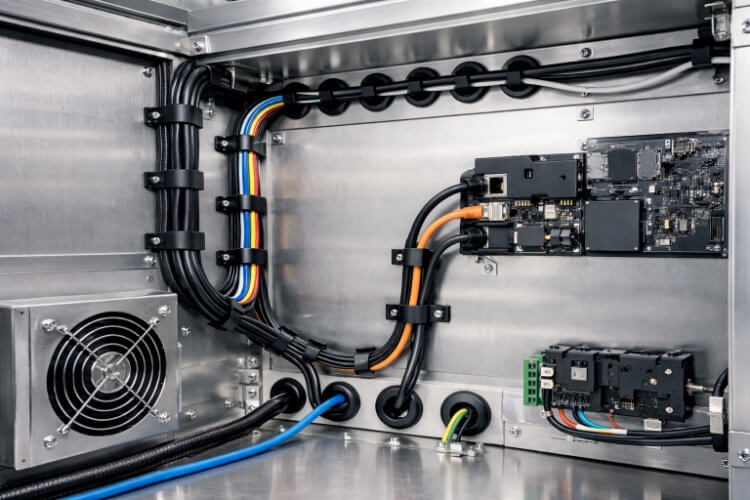
La seguridad empieza por el tendido de los cables. Un mal tendido puede provocar el desgaste del aislamiento, cortocircuitos o calor atrapado, lo que puede degradar las cubiertas de los cables con el tiempo. Mantener los cables alejados de bordes metálicos afilados y utilizar arandelas o forros protectores en los recortes evita la abrasión. Agrupar los cables adecuadamente -separando las líneas de alta corriente de las de señal- reduce la EMI y ayuda a cumplir las normas UL, CE o IEC.
Los ingenieros que planifican el trazado con antelación no sólo cumplen la normativa, sino que evitan retrasos en la producción por inspecciones fallidas. Un solo cable mal enrutado cerca de una zona caliente puede provocar un fallo prematuro del aislamiento, mientras que una ruta bien protegida garantiza la fiabilidad a largo plazo y la seguridad del usuario.
Fiabilidad funcional
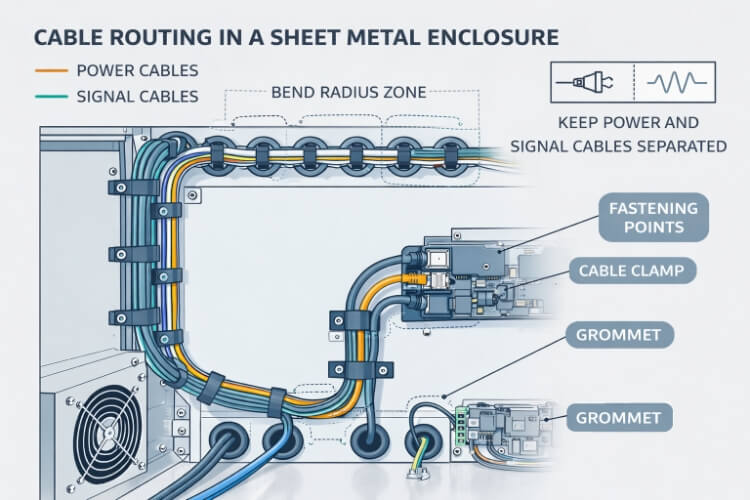
Un rendimiento eléctrico estable depende de la organización física. Unas curvas uniformes del cable mantienen la integridad del conductor, y mantener los radios de curvatura entre 6 y 10 veces el diámetro del cable evita las fracturas por tensión. Separar las líneas de señal y de alimentación minimiza las interferencias y las caídas de tensión.
Un enrutamiento ordenado también mejora la refrigeración en el interior de los armarios. Con un mejor flujo de aire y menos desorden, los componentes funcionan más fríos y duran más. Un cableado bien estructurado acelera la localización de fallos, reduciendo el tiempo de resolución de problemas hasta en 40% durante los ciclos de mantenimiento.
Eficacia de montaje y mantenimiento
El trazado de los cables influye directamente en la velocidad de montaje y el mantenimiento a largo plazo. Cuando las rutas son lógicas y despejadas, los técnicos dedican menos tiempo a adivinar la ubicación de los cables. El uso de abrazaderas, bandejas o arneses preetiquetados garantiza un tendido uniforme en todos los montajes.
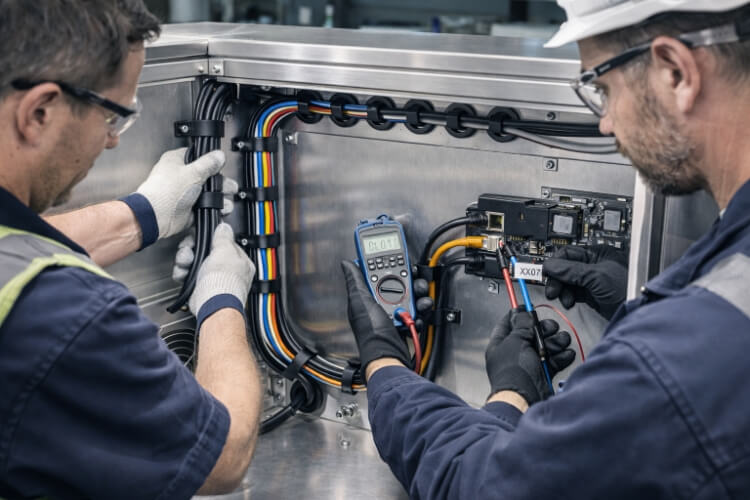
Durante el mantenimiento, las rutas fáciles de seguir reducen el tiempo de inactividad y los costes de reparación. Los cables etiquetados, los paneles de acceso despejados y los recorridos definidos de los haces ayudan a los equipos a identificar las conexiones al instante. Cada minuto que se ahorra en el montaje o la repetición de tareas se traduce en una mayor eficiencia y un menor coste total de propiedad.
Planificación del diseño e integración temprana
La colaboración temprana convierte los retos de enrutamiento en soluciones de diseño predecibles. La planificación del espacio y la alineación garantiza que todos los cables encajen a la perfección cuando comience la producción.
Coordinación entre los equipos eléctrico y mecánico
El éxito del enrutamiento depende de un sólido trabajo en equipo. Los ingenieros eléctricos definen las vías de corriente, los tipos de conectores y los tamaños de los cables, mientras que los ingenieros mecánicos gestionan la estructura del armario y los puntos de montaje. Si estos equipos trabajan por separado, los cables suelen tropezar con trayectos bloqueados o bordes afilados ocultos tras los paneles.
Las revisiones periódicas del diseño -incluso breves comprobaciones del modelo 3D- garantizan que ambas partes coincidan en la posición de los conectores, los orificios de entrada y la separación de los soportes. Esta planificación conjunta evita costosos rediseños tardíos, mejora la fabricación y garantiza que cada cable tenga una ruta clara y segura desde el primer día. Una reunión de coordinación de una hora al principio del diseño puede evitar días de reprocesamiento posterior.
Diseño CAD y simulación
Las modernas herramientas CAD hacen que el trazado de los cables deje de ser una conjetura para convertirse en un diseño de precisión. Al simular el recorrido de los cables dentro de una caja en 3D, los ingenieros pueden visualizar la holgura, la curvatura y las interferencias antes de la producción. La simulación del trazado permite detectar curvas cerradas, aberturas bloqueadas o cables superpuestos que podrían causar fricción o acumulación de calor.
La verificación digital permite a los equipos probar múltiples diseños rápidamente y ajustar piezas como soportes o terminales sin corte de metal. Este paso no sólo acorta el tiempo de desarrollo, sino que también garantiza que los cables encajen perfectamente durante el montaje, lo que ahorra horas de ensayo y error en el taller.
Definición de envolventes espaciales
Todo sistema de cables necesita espacio para respirar. Definir el espacio con antelación garantiza que los cables, conectores y alivios de tensión encajen cómodamente sin compresión. Una correcta distribución del espacio ayuda a evitar puntos de pellizco o dobleces excesivos tras la instalación.
Los ingenieros deben planificar los radios de curvatura mínimos, las distancias de separación y las futuras adiciones de cables. Deje espacio para abrazaderas, bridas y flujo de aire, no sólo para los propios cables. Incluso en armarios estrechos, dejar unos pocos milímetros más de espacio puede agilizar el mantenimiento y evitar la fatiga de los cables a largo plazo.
Factores clave en el diseño de rutas
Cada curva, abrazadera y abertura define la duración de los cables. Las decisiones inteligentes de tendido evitan tensiones, interferencias y puntos débiles ocultos antes de que provoquen fallos costosos.
Reducción al mínimo del radio de curvatura y los puntos de tensión
Cada cable tiene un límite de curvatura antes de que se produzcan daños internos. Por regla general, mantenga un radio de curvatura mínimo de seis a diez veces el diámetro exterior del cable. En el caso de cables coaxiales o multifilares, el radio de curvatura debe ser inferior a 10 veces para mayor seguridad. Las curvaturas cerradas crean tensiones internas que pueden agrietar el aislamiento o romper los conductores, lo que a menudo se manifiesta como fallos intermitentes meses después.
Utilice curvas suaves en lugar de ángulos agudos, y coloque los clips de soporte a intervalos constantes para distribuir uniformemente la tensión. Las guías de curvatura o los canales formados para cables ayudan a mantener la forma durante el montaje. Estas pequeñas medidas de diseño pueden duplicar la vida útil de los cables sometidos a una carga mecánica constante.
Evitar los bordes afilados y las interferencias
Los bordes metálicos son una de las mayores amenazas ocultas en los ensamblajes de chapa metálica. Sin protección, las vibraciones pueden desgastar rápidamente el aislamiento y dejar al descubierto los conductores. Instale siempre pasacables de goma o nailon donde los cables pasen por los recortes. Para los ensamblajes móviles o las puertas, utilice casquillos flexibles o molduras de borde a lo largo de los paneles.
Las abrazaderas de cables y los protectores contra tirones evitan el contacto con piezas móviles y controlan las vibraciones. Incluso un solo borde desprotegido puede provocar cortocircuitos, con los consiguientes costes de inactividad y retirada de productos. Un recorrido limpio y protegido no sólo es más seguro, sino que es una marca de diseño profesional.
Separación de cables de alimentación y señal
Los cables de alimentación y de señal nunca deben compartir la misma ruta. Si se pasan juntos, se producen interferencias electromagnéticas que pueden alterar los sensores, los controladores o las líneas de comunicación. Mantenga al menos 60 cm de distancia física siempre que sea posible.
Si deben cruzarse, hágalo en ángulo recto para minimizar el acoplamiento. Los cables apantallados o los tabiques metálicos con toma de tierra pueden reducir aún más el ruido. Esta separación garantiza la estabilidad de las señales, la precisión de las lecturas y la fiabilidad del suministro eléctrico, factores clave para el rendimiento del sistema y la satisfacción del cliente.
Accesibilidad y mantenimiento
Un buen diseño no sólo se centra en la instalación, sino que planifica lo que ocurrirá años después. Los cables deben ser fáciles de rastrear, sustituir o redirigir sin desmontar todo el conjunto. Deje vías de acceso abiertas y utilice paneles desmontables para los puntos de inspección.
Etiquete cada cable y agrúpelos en haces claramente identificados. Una ligera holgura entre los soportes permite a los técnicos trabajar cómodamente sin tensar los cables. Cuando los cables están accesibles y bien organizados, el trabajo de mantenimiento es más rápido, más seguro y mucho menos propenso a errores.
Herrajes y métodos de fijación
La fijación mantiene los cables seguros y protegidos en condiciones reales. Elegir las abrazaderas, ojales y prensaestopas adecuados garantiza la estabilidad a largo plazo y facilita el mantenimiento.
Abrazaderas, bridas y canales para cables
Las abrazaderas de cable sujetan firmemente los cables contra paneles o marcos. Las abrazaderas metálicas son resistentes e ideales para entornos industriales con vibraciones, pero deben utilizarse con revestimientos de goma para evitar daños en el aislamiento. Las abrazaderas de plástico o nylon son más ligeras y no conductoras, adecuadas para montajes de baja tensión, aunque pueden debilitarse con el calor.
Las bridas son rápidas, económicas y excelentes para agrupar cables. Las bridas permanentes de nailon funcionan bien en instalaciones fijas, mientras que las reutilizables o las de velcro son mejores para montajes que requieren inspecciones o actualizaciones periódicas. Los canales o conductos ayudan a organizar varios cables y mejoran el aspecto y el flujo de aire. La contrapartida es una menor flexibilidad una vez instalados, por lo que los canales deben reservarse para disposiciones de cableado estables.
Arandelas y prensaestopas
Cuando los cables atraviesan paneles de chapa metálica, la protección es fundamental. Los pasacables de goma o silicona evitan que los bordes afilados corten el aislamiento y absorben las vibraciones durante el funcionamiento. Son baratos pero muy eficaces para prolongar la vida útil de los cables.
Los prensaestopas van un paso más allá sellando y anclando los cables en los puntos de entrada. Proporcionan protección ambiental contra el polvo, la humedad y el aceite, lo que resulta fundamental en recintos industriales o exteriores. Los prensaestopas de plástico son habituales para trabajos ligeros, mientras que las versiones de latón o acero inoxidable soportan esfuerzos mecánicos y condiciones corrosivas.
Puntos de apoyo y alivio de tensiones
Los componentes de alivio de tensión evitan que las fuerzas de tracción alcancen los conectores o las terminaciones. Sin ellos, incluso una tensión mínima puede aflojar los contactos o romper las uniones soldadas. Los puntos de apoyo, como soportes o fijaciones adhesivas, distribuyen la carga uniformemente a lo largo del recorrido del cable.
Para obtener los mejores resultados, añada un soporte fijo a menos de cinco centímetros de cada conector y mantenga una suave holgura entre los puntos. En entornos con vibraciones, los soportes revestidos de goma absorben los golpes al tiempo que mantienen la alineación de los cables. Estos detalles mantienen el cableado estable, prolongan la vida útil de los conectores y facilitan el mantenimiento de los conjuntos.
Consideraciones sobre materiales y acabados
Los materiales y revestimientos que rodean los cables afectan a la corrosión, el calor y la conexión a tierra. La selección de los acabados adecuados salvaguarda tanto el cableado como la integridad del armario a lo largo del tiempo.
Resistencia a la corrosión
La humedad y los productos químicos pueden provocar corrosión que corroe tanto los cables como la chapa. El uso de acero inoxidable, acero galvanizado o Aluminio anodizado evita la herrumbre y la oxidación. Los revestimientos como el cincado o el recubrimiento en polvo añaden una barrera protectora que impide que la corrosión forme bordes afilados que puedan dañar el aislamiento de los cables.
Las cubiertas de los cables de PVC, silicona o teflón también resisten los ataques químicos y la absorción de humedad. Combinar metales resistentes a la corrosión con cables resistentes a la intemperie garantiza la estabilidad en entornos duros o al aire libre. Esta sencilla combinación suele duplicar la vida útil y reducir las necesidades de mantenimiento.
Gestión térmica
El calor es uno de los mayores enemigos del aislamiento de los cables. El tendido debe evitar el contacto directo con componentes que generen calor, como transformadores o fuentes de alimentación. Mantenga una separación segura -al menos unos centímetros- de las zonas de alta temperatura, y utilice envolturas reflectantes o fundas aislantes cuando no sea posible separarlas.
Una ventilación adecuada también ayuda. El diseño de orificios de ventilación o vías de flujo de aire permite que el calor atrapado escape, manteniendo más fríos tanto los cables como la caja. Mantener temperaturas inferiores a 70 °C cerca de las superficies de los cables evita el endurecimiento prematuro o el agrietamiento de los materiales aislantes. La concienciación térmica durante el diseño del tendido garantiza un rendimiento constante incluso bajo carga continua.
Conductividad y conexión a tierra
La puesta a tierra y la conexión son vitales tanto para la seguridad como para el control de la EMI. Cada panel metálico, soporte y blindaje de cable debe estar conectado a tierra de forma fiable para evitar la acumulación de tensión. Utilice orejetas de conexión a tierra, arandelas dentadas o cintas de cobre para mantener un contacto de baja resistencia entre las piezas.
Los cables apantallados deben conectarse a la caja por uno o ambos extremos, en función del esquema de conexión a tierra del sistema. Así se evita que el ruido se irradie o penetre en circuitos sensibles. Una red de puesta a tierra bien diseñada no sólo protege a los usuarios, sino que también estabiliza el rendimiento eléctrico en condiciones industriales exigentes. Convierte toda la caja en una barrera conductora segura que permite un funcionamiento limpio y sin interferencias.
Desafíos comunes de diseño y soluciones
Las limitaciones de espacio, los paquetes pesados y las vibraciones suelen poner a prueba incluso los diseños bien planificados. Las técnicas prácticas de enrutamiento mantienen los sistemas seguros, organizados y fiables en cualquier condición.
Espacio limitado en recintos compactos
Los diseños estrechos dejan poco espacio para el paso limpio de los cables. Cuando el espacio sea limitado, utilice el tendido multinivel, apilando los cables en planos o capas separados dentro del armario. De este modo se reduce el hacinamiento y se mantiene el flujo de aire.
Los cables planos o los mazos de cables ultraflexibles ayudan a pasar por canales estrechos. El uso de abrazaderas de perfil bajo y conectores modulares ahorra milímetros que se suman en todo el sistema. Planificar el acceso a los conectores y los ángulos de salida de los cables durante la fase CAD evita dolorosos ajustes de última hora en la planta de producción.
Gestión de grandes haces de cables
Los grandes haces de cables suelen volverse rígidos, pesados y difíciles de manejar. Para organizarlos, divídalos en grupos más pequeños y páselos por bandejas o soportes perforados. Esta separación mejora la refrigeración y facilita enormemente la posterior localización o sustitución de los cables.
Las cintas de velcro o las bridas reutilizables funcionan mejor para los sistemas que requieren mucho mantenimiento, ya que permiten a los técnicos ajustar o sustituir los cables sin necesidad de cortar las bridas. Para el cableado de alta densidad, los haces etiquetados o codificados por colores pueden reducir a la mitad el tiempo de resolución de problemas. Los conectores pasamuros son otra opción eficaz, ya que permiten que grandes haces pasen limpiamente entre compartimentos al tiempo que los protegen de tensiones y vibraciones.
Problemas de vibración y movimiento
La vibración es una de las causas más comunes de fallo de los cables en los montajes metálicos. Con el tiempo, el movimiento constante debilita el aislamiento y afloja las terminaciones. Para contrarrestarlo, utilice abrazaderas forradas de goma, conductos flexibles o envolturas en espiral para absorber el movimiento y evitar el desgaste.
Deje siempre una ligera holgura donde los cables se mueven con puertas, paneles o brazos robóticos. Los portacables o las cadenas de arrastre guían el movimiento suavemente y evitan que se retuerzan. En aplicaciones dinámicas, especifique cables aptos para flexión continua a fin de evitar la rotura de los filamentos internos. Incluir puntos de inspección periódicos en el diseño ayuda a detectar el desgaste prematuro antes de que provoque un fallo.
Conclusión
Un tendido de cables bien pensado transforma un producto de chapa metálica de un conjunto de piezas a un sistema fiable y útil. Cada elección de tendido, desde el radio de curvatura hasta la ruta de conexión a tierra, afecta directamente al rendimiento, la seguridad y la durabilidad a largo plazo. Cuando los cables están organizados, protegidos y bien sujetos, todo el producto funciona a menor temperatura, dura más y supera las pruebas de seguridad con total confianza.
Si su producto de chapa metálica implica un cableado complejo, espacios reducidos o entornos de alta vibración, las revisiones tempranas del diseño de las rutas pueden evitar costosas revisiones posteriores. Envíenos el plano de su recinto o un modelo 3D - nuestro equipo de ingenieros puede sugerir rutas de enrutamiento óptimas, hardware de fijación y configuraciones de conexión a tierra antes de comenzar la fabricación.
Preguntas frecuentes
¿Cuál es el radio de curvatura mínimo ideal para los cables en armarios?
Mantenga el radio de curvatura entre seis y diez veces el diámetro exterior del cable. Así se evitan tensiones en el conductor y se garantiza la flexibilidad a largo plazo.
¿Cómo puedo evitar las interferencias electromagnéticas entre los cables de alimentación y datos?
Mantenga al menos cinco centímetros de separación y crúcelos en ángulo recto. Utilice cables apantallados o barreras conectadas a tierra cuando los trayectos deban discurrir próximos entre sí.
¿Qué materiales son los mejores para abrazaderas de cables en carcasas metálicas?
Las abrazaderas de nailon funcionan bien en aplicaciones ligeras. Para aplicaciones industriales o con muchas vibraciones, elige abrazaderas metálicas revestidas de goma para un mejor agarre y protección del aislamiento.
¿Cómo deben sellarse los puntos de entrada de cables en aplicaciones exteriores?
Utilice prensaestopas o pasacables resistentes a la intemperie con clasificación IP65 o superior. Materiales como la silicona o el neopreno ofrecen un sellado fiable contra el agua y los rayos UV.
¿Se puede automatizar el tendido de cables durante el montaje de la caja?
Sí. El montaje automatizado de arneses y el enrutamiento asistido por robots son cada vez más comunes en la producción de grandes volúmenes. Mejoran la repetibilidad, reducen los errores humanos y aceleran el montaje final.
Hola, soy Kevin Lee

Durante los últimos 10 años, he estado inmerso en diversas formas de fabricación de chapa metálica, compartiendo aquí ideas interesantes de mis experiencias en diversos talleres.
Póngase en contacto
Kevin Lee
Tengo más de diez años de experiencia profesional en la fabricación de chapas metálicas, especializada en corte por láser, plegado, soldadura y técnicas de tratamiento de superficies. Como Director Técnico de Shengen, me comprometo a resolver complejos retos de fabricación y a impulsar la innovación y la calidad en cada proyecto.
Recursos relacionados
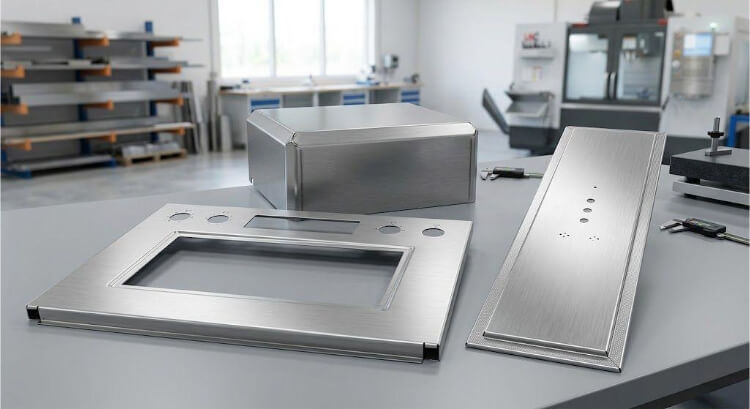
Acero inoxidable antihuellas: cómo funciona y cómo elegirlo
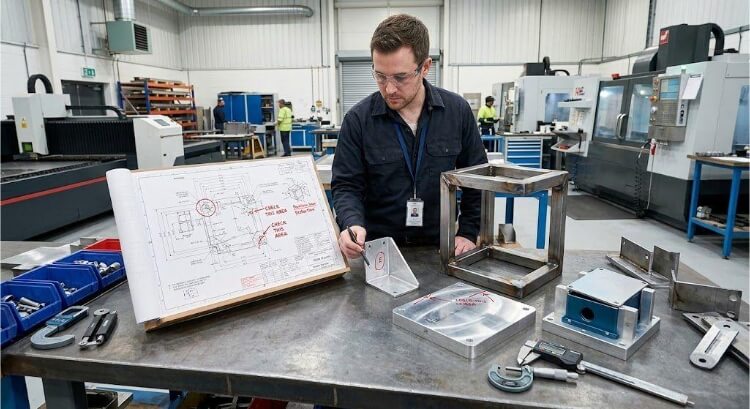
OEM vs. Fabricación por contrato: Cómo elegir el modelo adecuado para su proyecto

Coste de instalación frente a coste unitario en la fabricación de chapa metálica